


The Charlotte Observer | News
2.7190.00 Reviews
App Specs
- Version
- 11.1.16
- Updated On
- License
- Free
- Downloads
- 50,000+
- Developer
- McClatchy
- Categories
- News & Magazines
- Platform
- Android
Screenshots


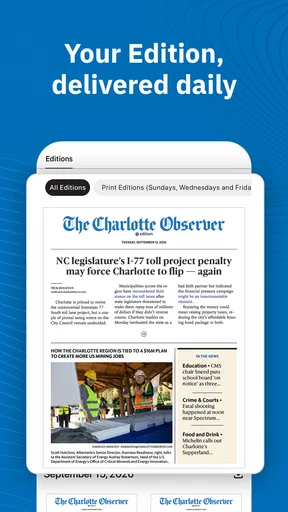
 Analysis by AppCompare
I think a local news app earns its place on my phone when it helps me answer a practical question quickly: what is happening near me, and does it affect what I need to do today? The Charlotte Observer News is aimed at readers following Charlotte and Central North Carolina, so its value is less about replacing every news source and more about keeping regional reporting close at hand. I would consider it when local developments matter more to my routine than a constant stream of national headlines.
Starting with a local question
The easiest way to judge this app is to begin with a real need. Imagine I am leaving home and want to know whether a local story, weather update, or community development could change my plans. A broad national news app might give me a useful overview of the day, but it may not make Charlotte-area coverage the natural starting point. This app’s regional focus is the reason I would open it first in that situation.
It is a free news and magazines app from McClatchy, with optional in-app purchases priced from $7.99 to $159.99 per item. I would treat that as a reason to check what access a particular article or service requires before relying on it as my only news source. Free to install does not necessarily mean every part of the experience will suit every reader’s budget, so it is sensible to decide what you need before committing to a purchase.
The app has a 2.2 average from around 410 ratings, with about 186 written reviews, and has passed 50,000 installs. Those figures make me cautious rather than dismissive: they suggest I should test the day-to-day experience myself, especially around reading access and reliability, instead of assuming it will work perfectly for everyone. Its Everyone 10+ age rating is also worth noting for households deciding which news apps are suitable for younger readers.
Finding a useful route through the day
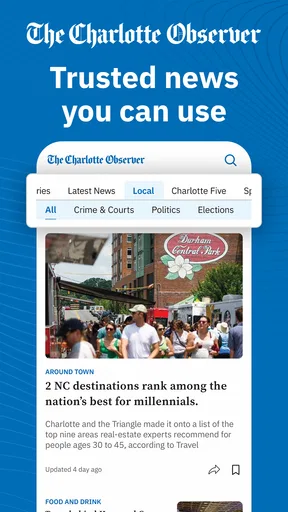
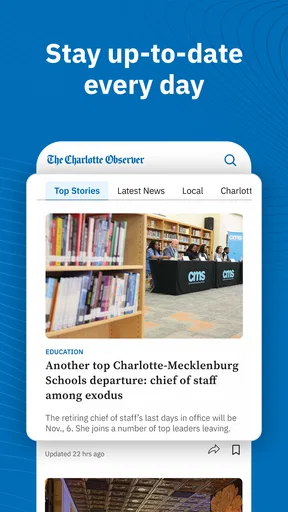
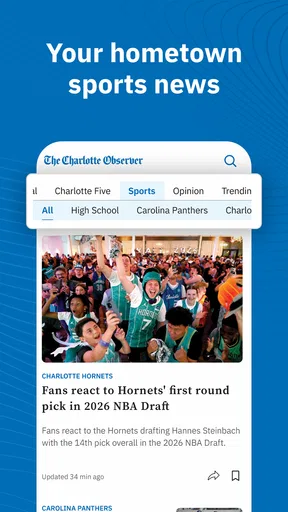
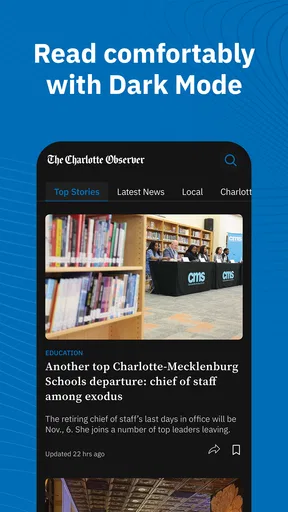
When I first opened The Charlotte Observer News app, I was greeted with a clean and intuitive interface. It’s designed to make navigation a breeze, even if you’re not particularly tech-savvy. The home screen offers a snapshot of the top stories, and you can easily dive deeper into categories like local news, sports, and entertainment with just a tap.
The layout is pretty straightforward, which I appreciate because who wants to spend time figuring out how to find a story when they just want to read the news, right? Plus, the app loads quickly, so no waiting around for things to appear. It’s perfect for when you’re on the go and need a quick news fix.
For a realistic morning routine, I would scan the lead stories before leaving, then open the local coverage that seems relevant to the day. If something affects a commute, school pickup, or an evening plan, that story deserves more attention than a headline I would otherwise skim and forget. The useful habit is to treat the home screen as a starting point, not as a complete picture: a quick scan can orient me, while a deliberate visit to the section I care about helps me avoid mistaking a prominent headline for the only important local development.
Worth Reading Before You Choose

EA SPORTS FC Mobile 26 Is a Bigger Football Game, but It Takes Time

Flipboard Shows What News Apps Must Do Beyond the Feed

Switching to Android Auto Means Rethinking Your Driving Routine

Google Calendar Makes a Crowded Week Easier to Manage

Ludo King Makes the Most of the Minutes Between Plans

Baby Panda World Brings Quick Play to Modern Phones, but Its Game Library Feels Busy
That distinction matters because a local reader’s needs change from day to day. On a quiet morning I might only want a short check-in; during a major local event, I would look for follow-up coverage rather than assume one article settles the story. I would also compare important details with official local notices when making time-sensitive decisions. A news app can help me notice an issue, but I would not use a headline alone as the final authority for a road closure, emergency instruction, or service change.
From reading to following up
The content on this app is top-notch. You get access to a wide range of articles from The Charlotte Observer itself, which means you’re getting reliable and well-researched news. There are also opinion pieces, photo galleries, and videos to enrich the reading experience. Whether you're interested in what's happening downtown or want to catch up on the latest Panthers game, this app covers it all.
One feature I found particularly useful is the customizable notifications. You can set alerts for specific topics or breaking news, so you never miss out on important updates. Trust me, this is a lifesaver during election seasons or when there’s a major event in town.
Notifications work best as a handoff into reading, not as a substitute for it. I would keep alerts focused on the topics I genuinely need to follow, then open a notification when I have enough time to understand the context. If every topic is treated as urgent, the phone becomes noisy and the important alert can blend in with routine updates. For someone tracking a local issue closely, a small, deliberate selection of alerts is more useful than turning everything on and hoping to sort it out later.
There is also a sensible division of labour between this app and other sources. I would use it to discover and follow local reporting, then turn to a specialist source when I need a different kind of detail: a live score service for play-by-play, an official forecast for a specific weather decision, or a government channel for instructions that must be acted on immediately. That does not make the Observer app less useful; it keeps its role clear. Its strongest case is a reader who wants local journalism in one convenient place, not someone expecting one app to answer every question.
Choosing what deserves attention
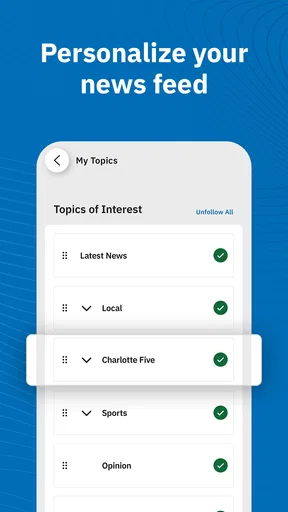
Personalization is a big deal these days, and The Observer app doesn’t disappoint. You can tailor the news feed to show more of what interests you. If politics are your thing, or perhaps you’re more into lifestyle articles, you can adjust your preferences accordingly.
The practical trade-off is that a more tailored feed can make regular reading feel efficient, but it can also narrow what catches my eye. I would occasionally look beyond my usual interests, especially when a major local issue may affect people outside the subjects I normally follow. Personalization should make the app easier to use, not turn it into a filter that hides useful context.
For families or shared devices, preferences are worth setting with care. A sports-focused feed may suit one person, while another reader may want local politics or community coverage; the result is only helpful if the setup reflects the person actually reading. If I were handing the phone to someone else, I would not assume the feed was neutral or complete just because the home screen looked tidy. I would guide them to the sections that fit their needs rather than asking them to rely on my choices.
The app’s current version is 11.1.2 and it requires Android 8.0 or later. Those details are useful when deciding whether an older Android phone can run it; they do not, by themselves, tell me how a particular device will feel in everyday use. I would check compatibility before planning to depend on it, especially if the phone is used for important alerts or reading while travelling.
Reading comfortably and checking access
The app also offers a dark mode, which is perfect for night-time reading or if you simply prefer the look. It’s easy on the eyes and helps conserve battery life, which is always a plus!
Now, let’s talk about performance. I’ve used the app on both Android and iOS devices, and it runs smoothly on both platforms. It’s compatible with a wide range of devices, so whether you’re using the latest smartphone or an older model, you should have no issues.
Accessibility is another strong point. The app supports voice-over for visually impaired users, and the text size can be adjusted for readability. These little things make a big difference in ensuring that everyone can access the news.
For a longer read, I would adjust the text size before settling in rather than struggling through an article at the default setting. Dark mode can be useful in a dim room, but comfort is personal, so I would switch it off if it made text harder for me to follow. Likewise, voice-over support can make reading more accessible, though the best way to judge whether it suits someone’s setup is to try it with the device’s own accessibility controls and a short article first.
Before depending on the app for regular reading, I would also test the whole path from opening a story to finishing it. If I encounter a purchase prompt, I would pause and check whether the cost is for the access I actually want; the range of in-app purchase prices makes that a worthwhile habit. This is especially important for occasional readers, who may be better served by using the free parts they find useful rather than paying without understanding what the purchase covers.
Who will get the most from it
I can see this being a good fit for Charlotte-area residents who want a familiar local news source within easy reach, as well as former residents who still care about what is happening in the region. It may also suit readers who prefer a publication-led feed to a general aggregator that mixes stories from many outlets. The benefit is a clearer local point of view; the trade-off is that people who want broad national or international coverage will still need another source.
I would be less likely to recommend it as a sole news app to someone who follows many cities, wants a highly configurable multi-publisher feed, or needs immediate operational information rather than reporting. A national aggregator is often better for scanning a wide range of publishers in one place. Official channels are the better handoff for urgent instructions, and dedicated sports or weather tools may answer narrow, fast-changing questions more directly. The Observer app makes most sense when local reporting itself is the reason for opening it.
For someone new to the area, I would use it as a way to build a feel for local conversations over time, not as a replacement for asking neighbours or checking practical community resources. A sequence of stories can show which issues keep returning and what developments are being followed, while a single visit cannot teach me everything about a place. That slower, cumulative use is one of the more valuable reasons to keep a local publication on my phone.
Where the routine can break
The main point of friction I would watch for is the boundary between browsing and paid access. Since the app is free to download but includes in-app purchases, an article that looks immediately relevant may not necessarily be available on the terms I expect. I would avoid building a time-critical routine around an article until I know whether I can read it, and I would not treat an installation as proof that every story is included without charge.
There is a second limitation in the nature of local coverage itself: readers outside the area may find that the app has less everyday value, even if a major story occasionally interests them. Someone who only needs national headlines, or who wants one feed covering many locations, may find a general news app more convenient. The regional focus is a strength when the place matters to you and a constraint when it does not.
Finally, notifications can help me return to a developing story, but they can also interrupt a day that does not need constant updates. I would start with only the alerts I can act on or genuinely want to follow, then change that selection if it produces too much noise. That small bit of setup can be the difference between an app that supports a routine and one I silence after a few days.
My take after fitting it into a routine
Overall, I’ve found The Charlotte Observer News app to be a fantastic tool for staying informed. It’s easy to use, packed with quality content, and offers features that enhance the overall experience. Whether you’re a long-time resident of Charlotte or just someone who loves keeping up with the news, this app is definitely worth checking out.
If you’re still on the fence, I’d recommend giving it a try. It might just become your go-to news source, just like it has for me. Happy reading!
My recommendation is more specific than “install it and read everything”: try it if Charlotte-area coverage is a regular part of your day, choose a few topics or alerts with care, and see whether the articles you want fit your budget and reading habits. If you need a broad national roundup or authoritative emergency instructions, pair it with a more suitable source. Used for the local perspective it is built around, it can be a practical companion; used as an all-purpose answer to every news need, it is not the right fit.
Pros
- User-friendly interface for easy navigation.
- Customizable notifications for local news.
- In-depth journalism with various perspectives.
- Regular updates keep content fresh.
- Offline reading available for convenience.
Cons
- Ads can be intrusive and distracting.
- Limited free content without subscription.
- Occasional loading delays in the app.
- Requires stable internet for optimal use.
- Some sections lack multimedia content.
FAQs for The Charlotte Observer | News
Is The Charlotte Observer News app free to download and use?
Yes, the app is free to download on both Android and iOS platforms. Users can access a limited number of articles for free each month. However, to enjoy unlimited access and additional features, such as exclusive content and ad-free reading, you might need to subscribe to a paid plan.
What type of content does The Charlotte Observer News app provide?
The app offers comprehensive news coverage, including local, national, and international news. It features sections on sports, politics, business, entertainment, and lifestyle. Users can also access multimedia content such as videos and photo galleries, providing a rich and engaging experience.
Can I customize notifications in The Charlotte Observer News app?
Yes, the app allows you to customize notifications to receive alerts on topics of your interest. You can choose to get notifications for breaking news, sports updates, or weather alerts. This ensures you stay informed about what's important to you without being overwhelmed by unnecessary alerts.
Does The Charlotte Observer News app require an internet connection?
An internet connection is required to download new content and updates. However, the app does offer offline reading capabilities. You can save articles to read later when you are offline, making it convenient for users who are frequently on the move or have limited internet access.
How user-friendly is the interface of The Charlotte Observer News app?
The app boasts a user-friendly interface designed for seamless navigation. It features a clean layout with intuitive menus, making it easy for users to find and read articles. The search function is robust, allowing users to quickly locate specific news topics or stories of interest.


